Showing posts with label iPads. Show all posts

Friday, January 13, 2012

Exploring setting


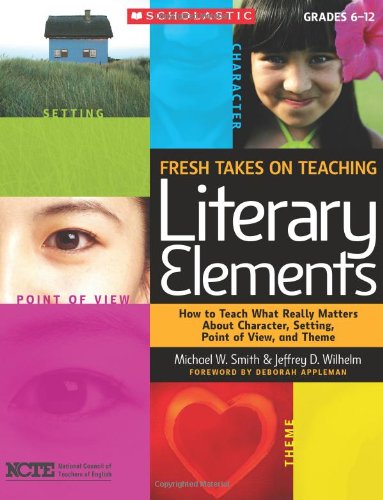
Last week I wrote a bit about how a new book I am reading, Fresh Takes on Teaching Literary Elements, helped shape my class discussion. This week I continued with some lessons on setting in our mini-lessons. Now I believe I mentioned that the book is geared to grades 6-12, so I have to pick and choose what will work in my fifth grade classroom. The lessons on setting were interesting. It discussed that setting is more than the time and place the story takes place. I had to stop there for a minute, that’s all I have really taught my students in the past. Wilhelm and Smith go on to explain that there are levels of setting: micro, meso, and macro. They discussed the types of governments, relationships, and values all being influences of the setting. With that in mind, I thought about how to teach this to my students.

I ended up using the trailer to The Hunger Games:


I then put several stills from the movie on a slideshow as we listened to Taylor Swift’s song from The Hunger Games’s soundtrack. I introduced them to the terms of micro, meso, and macro but used the analogy of an onion for our setting with layers. One of the students mentioned that we really were doing “world building” in our minds as we begin a book and using the information an author provides as parts of that world. With that idea, the students and I discussed the images – where did they fit into our “onion” for The Hunger Games? Then the talk turned to books we are reading currently and talked about what snippets of information from the author helped us shape the worlds in our minds.

At the end of the week I used the app Sonic Pics as one way to assess the knowledge the students had gained about setting and building characters from last week. I preloaded ten images onto each iPad. Working in partners or teams of three, students selected one picture from the app. The group would study that picture and build a world and story in their head that could apply. They recorded themselves talking to the iPad for their selected image telling me details like:

·     When and where does this story take place?
·      What are the characters involved in this story?
·      What are their values?
·      What relationships are important to the story?
·      What type of conflict would there be?

The students saved their project and then emailed it to my school email address. It was fun to see the different images the kids picked and what stories they dreamed up.

All in all, I highly recommend Fresh Takes on Teaching Literary Elements. I feel that my students are thinking deeper than they were before in regard to the books they are reading independently. I hope to see this continue in the next few weeks as we explore Theme and Point of View. 

Saturday, December 17, 2011

iPad apps in Reading

My classroom is fortunate to have access to 27 iPads this year through a grant opportunity. We share them with the other two sections of fifth grade that we switch with. While it has not always been smooth sailing, the iPads are a wonderful addition to our classroom. I have many different items we could discuss regarding these devices but today I’m going to focus on the top two reading apps we use daily.

Blue FiRe (free) is a reading app that allows students to record themselves reading their independent novels. I use this for a fluency check. I’m sure there are many apps that might do the same thing, but we love this one.

At fifth grade the students know what we mean when we say “fluency”. Even so, when introducing this app we had a mini-lesson regarding fluency. I explained what the fluency tests were that the reading teacher administered for RTI, what she was looking for. We had student volunteers role play good reading fluency and then fluency that had issues (robotic, too fast, too slow, monotone, etc.). Then I recorded myself several times on the app and showed the students how to play back my reading and analyze it to see how I can grow as a reader.

As a reading teacher I don’t think that fluency is the sole factor needed to be a good reader. However, it is something my students are tested on. This app is an easy way for them to monitor their own reading. I had many students choose to download it on their own devices at home because they enjoyed it.

Brain Pop (free) is an amazing site. Each day there is a new video on a variety of topics. Often if there is a timely subject (Columbus Day for example) the video on the front page will focus on it. There are also archives you can explore to check out other videos. After viewing their selected video, the students have a ten point comprehension quiz to take. The app will score their quiz and show them their results. The first few times I had students take this they rushed through the quiz and then were surprised to see they didn’t do well. When we talked about it, they admitted they were unsure of some words in the questions so they just rushed over them. We discussed how that wouldn’t help them on state testing and what reading strategies could they have used. All students do pretty well on these quizzes now and they have the added benefit of teaching them some test taking strategies along the way.

These are just two of the apps we’ve used in reading class. As we continue to explore iPads this year I will come back to share our insights with you.